I. Before You Begin:
1. This will void the warranty. However, the unrooting feature in the tool allows you to reinstate the warranty of your device.
2. Make sure your device has at least 60% of battery life left.
3. You must have drivers for your device installed on your PC (Download Kies Drivers)
4. The following procedure works on Windows based PCs only.
II. Downloading Required Files:
III. Rooting Your S4 (Using the Unlock Root Tool):
1. Place the Unlock Root Tool file you just downloaded to your Desktop.
2. Double-click on the tool’s executable file and install the program.
3. Once installed, launch it on your PC.
4. Enable the USB debugging option on your device from
Menu>>Settings>>More Tab>>About phone>>press Build number 7 times>>go home>>Setting>>More Tab>>Developer Options>>Enable USB debugging
Menu>>Settings>>More Tab>>About phone>>press Build number 7 times>>go home>>Setting>>More Tab>>Developer Options>>Enable USB debugging
5. Connect the device to your PC using the USB cable.
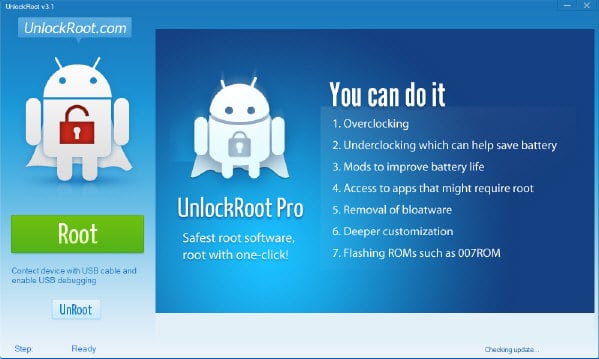
Click on the Root button
7. A list of detected devices will appear, select your device from the list.
8. As soon as you select the device, it’ll start the rooting process.
9. Once the rooting’s done, you should get a confirmation message on your screen.
10. Reboot the device.
11. You’re done!

No comments:
Post a Comment